Viewing Waveforms
To view waveforms, either GTKWave or Surfer can be used.
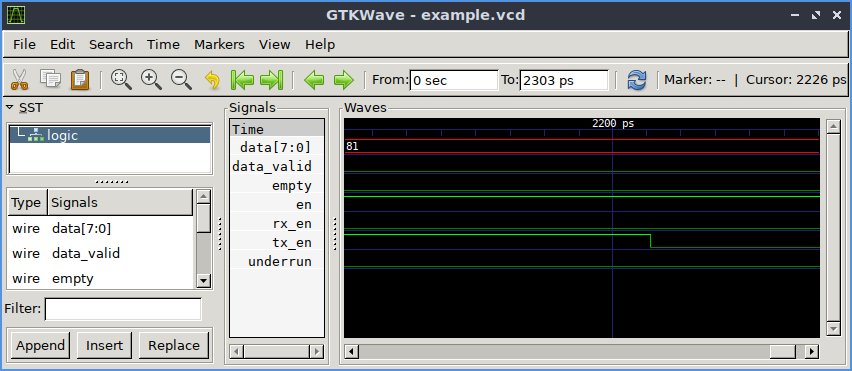
GTKWave is a waveform viewer based on the GTK library. This viewer supports VCD, FST, LXT, and LXT2 formats for waveform dumps. GTKWave is available on GitHub here. Most Linux distributions already include gtkwave prepackaged and there are binaries for Windows available.
Surfer is a waveform viewer based on the Rust egui library. This viewer supports VCD and FST formats for waveform dumps. Surfer is available on GitLab here. It runs on Windows, Linux, and MacOS, but can also run in a web browser and there is a VS Code extension.
Generating waveform dump files for viewing
Waveform dumps are written by the Icarus Verilog runtime program vvp. The user uses $dumpfile and $dumpvars system tasks to enable waveform dumping, then the vvp runtime takes care of the rest. The output is written into the file specified by the $dumpfile system task. If the $dumpfile call is absent, the compiler will choose the file name dump.vcd, dump.lxt, dump.lxt2, or dump.fst, depending on runtime flags. The example below dumps everything in and below the test module:
// Do this in your test bench

initial
begin
   $dumpfile("test.vcd");
   $dumpvars(0,test);
end
By default, the vvp runtime will generate VCD dump output. This is the default because it is the most portable. However, when using gtkwave, the FST output format is faster and most compact. Use the “-fst”, “-lxt”, or “-lxt2” extended argument to activate FST, LXT, or LXT2 output, respectively. For example, if your compiled output is written into the file “foo.vvp”, the command:
% vvp foo.vvp -fst <other-plusargs>
will cause the dumpfile output to be written in FST format. Absent any specific $dumpfile command, this file will be called dump.fst, which can be viewed with GTKWave using the command:
% gtkwave dump.fst
A Working Example
First, the design itself:
module counter(out, clk, reset);

  parameter WIDTH = 8;

  output [WIDTH-1 : 0] out;
  input            clk, reset;

  reg [WIDTH-1 : 0]   out;
  wire            clk, reset;

  always @(posedge clk)
    out <= out + 1;

  always @reset
    if (reset)
      assign out = 0;
    else
      deassign out;

endmodule // counter
Then the simulation file:
module test;

  /* Make a reset that pulses once. */
  reg reset = 0;
  initial begin
     $dumpfile("test.vcd");
     $dumpvars(0,test);

     # 17 reset = 1;
     # 11 reset = 0;
     # 29 reset = 1;
     # 5  reset =0;
     # 513 $finish;
  end

  /* Make a regular pulsing clock. */
  reg clk = 0;
  always #1 clk = !clk;

  wire [7:0] value;
  counter c1 (value, clk, reset);

  initial
     $monitor("At time %t, value = %h (%0d)",
              $time, value, value);
endmodule // test
Compile, run, and view waveforms with GTKWave using these commands:
% iverilog -o dsn counter_tb.v counter.v
% vvp dsn
% gtkwave test.vcd &
Click on the ‘test’, then ‘c1’ in the top left box of GTKWave, then drag the signals to the Signals box. You will be able to add signals to display, scanning by scope.